


AUTOMATED
TRADING SYSTEM
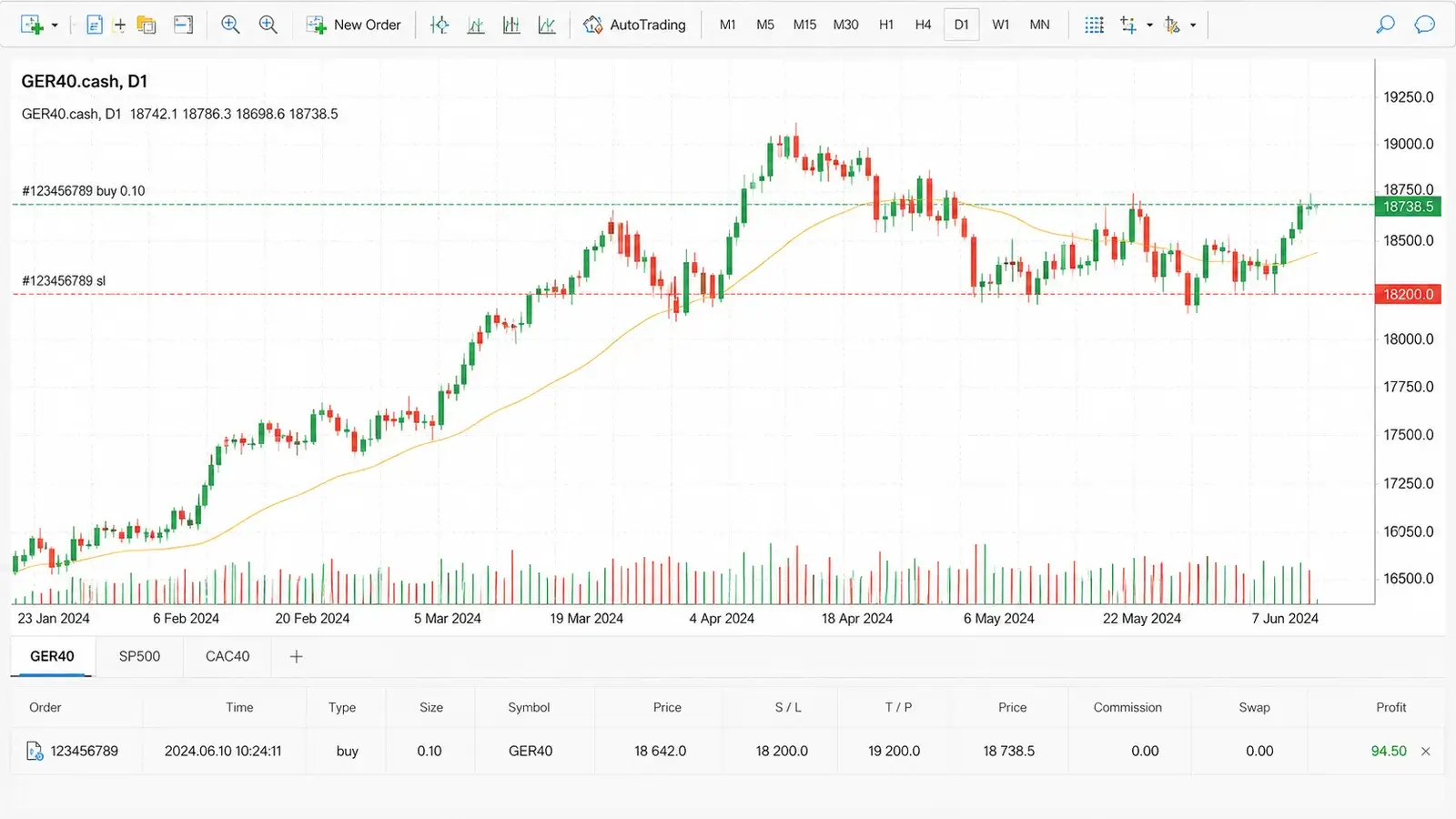
Trade S&P500, DAX40 and CAC40 on MetaTrader 4.
Your broker account. Your funds. Your position size.
Trade indexes on MT4.
Your account. Your funds. Your position size.
START IN 3 SIMPLE STEPS
You stay in control from start to finish.
USE YOUR OWN BROKER ACCOUNT
Your funds stay in your own broker account. Deusbot never holds client money.
INSTALL THE EXPERT ADVISOR
We provide the EA, setup guide and installation support to help you get started on MT4.
CHOOSE YOUR POSITION SIZE
Use the calculator to define controlled exposure before trading live.
Review historical returns, drawdown, trade history and live dashboard metrics.
Historical data is provided for transparency only and should not be considered a guarantee of future results.
How Deusbot works
A simple workflow from market analysis to execution on your MT4 platform.
MARKET DATA
DEUSBOT SERVER
Monitors 800+ stocks to calculate proprietary indicators, risk metrics, and system parameters.
MT4 EXPERT ADVISOR
Receives system updates, displays the current status and manages execution directly from your MetaTrader platform.
TRY DEUSBOT
FREE FOR 30 DAYS
You do not need advanced technical knowledge.
Test the Expert Advisor, use the dashboard and get installation support before choosing a paid license.
TRY DEUSBOT
FREE FOR 30 DAYS
You do not need advanced technical knowledge.
Test the Expert Advisor, use the dashboard and get installation support before choosing a paid license.
FREQUENTLY ASKED QUESTIONS
? Do I need to send money to Deusbot?
No. You open and fund your own account directly with your broker. Your funds always remain in your personal broker account. Deusbot never receives, holds or withdraws client funds.
? Can I use the broker of my choice?
Yes. Deusbot can be used with any compatible broker that supports MT4 desktop, Expert Advisors, the three required index CFDs and position sizes suitable for your setup
For a simple and reliable setup, choose one of our recommended brokers.
View recommended brokers? Can I use Deusbot on a demo account?
Yes. Deusbot can be used on a demo account during the free trial or with an active license.
A demo account is useful for checking the installation, testing broker compatibility and becoming familiar with the dashboard before moving to live trading.
? What happens after the free trial?
At the end of the 30-day trial, your access to Deusbot will stop unless you choose an annual subscription plan that matches your position sizes.
No payment is taken automatically.
? What is included in a Deusbot license?
Each Deusbot license includes the CAC40, DAX40 and S&P500 Expert Advisors, continuous server updates and support.
The license tier determines the maximum base position sizes you can select in the Expert Advisor. Use the calculator to estimate suitable position sizes for your account and identify the appropriate license tier.
Use the Deusbot calculator? Can I cancel my subscription?
Yes. You can cancel your subscription at any time from your account dashboard. You will keep access to Deusbot until the end of your current subscription period, and no further payment will be taken.
? How much trading capital do I need?
Deusbot does not impose a fixed minimum account balance. What matters is that your broker allows position sizes consistent with your account balance and chosen risk level.
Need small and precise trade sizes? Find the right broker for your setup .
? Is a VPS required to keep Deusbot running?
A VPS is not mandatory, but it is strongly recommended.
If you run Deusbot on your own computer, MetaTrader 4 must stay open and connected. If the computer is switched off or loses internet access, Deusbot cannot trade or manage open positions.
A Windows VPS keeps MetaTrader 4 and Deusbot running continuously without depending on your personal computer.
For a simple and affordable setup, you can use our recommended VPS.